Asus BP6230 Bedienungsanleitung
Stöbern Sie online oder laden Sie Bedienungsanleitung nach Computers Asus BP6230 herunter. Asus BP6230 User Manual Benutzerhandbuch
- Seite / 62
- Inhaltsverzeichnis
- FEHLERBEHEBUNG
- LESEZEICHEN
Bewertet. / 5. Basierend auf Kundenbewertungen


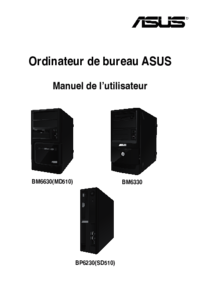
BM6330
BM6630/MD510
BP6230/SD510
ASUS Desktop PC
BM6630/MD510
BP6230/SD510
BM6330
User Manual
- ASUS Desktop PC 1
- April 2011 2
- First Edition 2
- Contents 3
- Notices 4
- RF exposure warning 5
- Safety information 6
- Where to nd more information 7
- Package contents 8
- Chapter 1 9
- Front panel 10
- BM6630/MD510 10
- BP6230/SD510 12
- Rear panel 13
- BM6630/MD510 and BM6330 13
- LAN port LED indications 17
- Setting up your computer 18
- Connecting the power cord 21
- Turning your computer ON/OFF 22
- Chapter 2 23
- Using Windows 24
- 7 desktop 24
- Using the notication area 26
- Explorer 27
- Exploring les and folders 27
- Arranging your les 27
- Sorting your les 28
- Grouping your les 28
- Adding a new folder 28
- Backing up your les 28
- Restoring your system 29
- Protecting your computer 29
- Setting up a user account 30
- Setting up a user’s password 30
- Getting Windows 31
- Help and Support 31
- 2-10 Chapter 2: Using Windows 32
- Chapter 3 33
- Connecting Headphone and Mic 34
- Connecting 4-channel Speakers 36
- Connecting 2-channel Speakers 36
- Connecting 8-channel Speakers 37
- Connecting 6-channel Speakers 37
- Chapter 4 39
- Inserting an optical disc 40
- Removing an optical disc 40
- Chapter 5 41
- RJ-45 cable 42
- Chapter 6 45
- The Tool menu 46
- The Monitor menu 49
- The Update menu 49
- The System Information screen 50
- The Settings screen 50
- ASUS AI Manager 51
- AI Security 52
- AI Booting 53
- Chapter 7 55
- No display on the monitor 56
- Chapter 7: Troubleshooting7-4 58
- Problem Possible Cause Action 59
- Chapter 7: Troubleshooting7-6 60
- ASUS contact information 62
- ASUSTeK COMPUTER INC 62
Inhaltsverzeichnis
Seite 1 - ASUS Desktop PC
BM6330BM6630/MD510BP6230/SD510ASUS Desktop PCBM6630/MD510BP6230/SD510BM6330User Manual
Seite 2 - First Edition
1-2 Chapter 1: Getting startedENGLISHENGLISHENGLISHENGLISHFront panel1. 2 x 5.25 inch optical disk drive bays. The 5.25 inch optical disk drive bays
Seite 3 - Contents
ENGLISHENGLISHASUS BM6630/MD510, BP6230/SD510, BM6330 1-3ENGLISHENGLISH1. 2 x 5.25 inch optical disk drive bays. The 5.25 inch optical disk drive bay
Seite 4 - Notices
1-4 Chapter 1: Getting startedENGLISHENGLISHENGLISHENGLISHBP6230/SD51012345671. 5.25 inch optical disk drive bay. The 5.25 inch optical disk drive ba
Seite 5 - RF exposure warning
ENGLISHENGLISHASUS BM6630/MD510, BP6230/SD510, BM6330 1-5ENGLISHENGLISHRear panel1. Power connector.Power connector. Plug the power cord to this conn
Seite 6 - Safety information
1-6 Chapter 1: Getting startedENGLISHENGLISHENGLISHENGLISH Audio 2, 4, or 6-channel congurationPort Headset 2-channel 4-channel 6-channelLight Blue
Seite 7 - Where to nd more information
ENGLISHENGLISHASUS BM6630/MD510, BP6230/SD510, BM6330 1-7ENGLISHENGLISH16. Air vents.Air vents. These vents allow air ventilation.DO NOT block the ai
Seite 8 - Package contents
1-8 Chapter 1: Getting startedENGLISHENGLISHENGLISHENGLISH12. Expansion slot brackets.Expansion slot brackets. Remove the expansion slot bracket when
Seite 9 - Chapter 1
ENGLISHENGLISHASUS BM6630/MD510, BP6230/SD510, BM6330 1-9ENGLISHENGLISHActivity/Link LED Speed LEDStatus Description Status
Seite 10 - BM6630/MD510
1-10 Chapter 1: Getting startedENGLISHENGLISHENGLISHENGLISHSetting up your computerThis section guides you through connecting the main hardware device
Seite 11
ENGLISHENGLISHASUS BM6630/MD510, BP6230/SD510, BM6330 1-11ENGLISHENGLISH• If your computer comes with an ASUS Graphics Card, the graphics card is set
Seite 12 - BP6230/SD510
iiENGLISHENGLISHENGLISHENGLISHCopyright © 2011 ASUSTeK Computer Inc. All Rights Reserved.No part of this manual, including the products and software d
Seite 13 - BM6630/MD510 and BM6330
1-12 Chapter 1: Getting startedENGLISHENGLISHENGLISHENGLISHConnecting a USB keyboard and a USB mouseConnect a USB keyboard and a USB mouse to the USB
Seite 14
ENGLISHENGLISHASUS BM6630/MD510, BP6230/SD510, BM6330 1-13ENGLISHENGLISHConnecting the power cordConnect one end of the power cord to the power connec
Seite 15
1-14 Chapter 1: Getting startedENGLISHENGLISHTurning your computer ON/OFFThis section describes how to turn on/off your computer after setting up your
Seite 16
ASUS BM6630/MD510, BP6230/SD510, BM6330 2-1Chapter 2Using Windows® 7Starting for the rst timeWhen you start your computer for the rst time, a series
Seite 17 - LAN port LED indications
2-2 Chapter 2: Using Windows® 7ENGLISHENGLISHENGLISHENGLISHUsing Windows® 7 desktopUsing the Start menuThe Start menu gives you access to programs, ut
Seite 18 - Setting up your computer
ENGLISHENGLISHASUS BM6630/MD510, BP6230/SD510, BM6330 2-3ENGLISHENGLISHPinning items on the jumplistsWhen you right-click an icon on the taskbar, a ju
Seite 19
2-4 Chapter 2: Using Windows® 7ENGLISHENGLISHENGLISHENGLISHUsing the notication areaBy default, the notication area shows these three icons:Action C
Seite 20
ENGLISHENGLISHASUS BM6630/MD510, BP6230/SD510, BM6330 2-5ENGLISHENGLISHManaging your les and foldersUsing Windows® ExplorerWindows® Explorer allows y
Seite 21 - Connecting the power cord
2-6 Chapter 2: Using Windows® 7ENGLISHENGLISHENGLISHENGLISHSorting your lesTo sort your les:1. Launch Windows Explorer.2. Right-click anywhere on
Seite 22 - Turning your computer ON/OFF
ENGLISHENGLISHASUS BM6630/MD510, BP6230/SD510, BM6330 2-7ENGLISHENGLISHRestoring your systemThe Windows® System Restore feature creates a restore poin
Seite 23 - Chapter 2
ENGLISHENGLISHiiiENGLISHENGLISHContentsNotices ...
Seite 24 - 7 desktop
2-8 Chapter 2: Using Windows® 7ENGLISHENGLISHENGLISHENGLISHSetting up a user account and passwordYou may create user accounts and passwords for people
Seite 25
ENGLISHENGLISHASUS BM6630/MD510, BP6230/SD510, BM6330 2-9ENGLISHENGLISHActivating the anti-virus software Trend Micro Internet Security is pre-install
Seite 26 - Using the notication area
2-10 Chapter 2: Using Windows® 7ENGLISHENGLISH
Seite 27 - Arranging your les
ASUS BM6630/MD510, BP6230/SD510, BM6330 3-1Chapter 3Connecting devices to your computer Connecting a USB storage deviceThis desktop PC provides USB 2.
Seite 28 - Backing up your les
3-2Chapter 3: Connecting devices to your computerENGLISHENGLISHENGLISHENGLISHConnecting microphone and speakersThis desktop PC comes with microphone p
Seite 29 - Protecting your computer
3-3ASUS BM6630/MD510, BP6230/SD510, BM6330ENGLISHENGLISHENGLISHENGLISHBM6330BP6230/SD510
Seite 30 - Setting up a user’s password
3-4Chapter 3: Connecting devices to your computerENGLISHENGLISHENGLISHENGLISHConnecting 4-channel SpeakersConnecting 2-channel Speakers
Seite 31 - Help and Support
3-5ASUS BM6630/MD510, BP6230/SD510, BM6330ENGLISHENGLISHENGLISHENGLISHConnecting 8-channel SpeakersConnecting 6-channel Speakers
Seite 32 - 2-10 Chapter 2: Using Windows
3-6Chapter 3: Connecting devices to your computerENGLISHENGLISH
Seite 33 - Chapter 3
ASUS BM6630/MD510, BP6230/SD510, BM6330 4-1Chapter 4Using your computerProper posture when using your Desktop PCWhen using your Desktop PC, maintainin
Seite 34 - Connecting Headphone and Mic
ivENGLISHENGLISHENGLISHENGLISHNotices REACHComplying with the REACH (Registration, Evaluation, Authorisation, and Restriction of Chemicals) regulatory
Seite 35
4-2 Chapter 4: Using your computerENGLISHENGLISHUsing the optical drive (on selected models only)Inserting an optical discTo insert an optical disc:1.
Seite 36 - Connecting 2-channel Speakers
ASUS BM6630/MD510, BP6230/SD510, BM6330 5-1Chapter 5Connecting to the InternetConnecting via a DSL/cable modemTo connect via a DSL/cable modem:1. Set
Seite 37 - Connecting 6-channel Speakers
5-2 Chapter 5: Connecting to the InternetENGLISHENGLISHENGLISHENGLISHConnecting via a local area network (LAN)To connect via a LAN:1. Connect one end
Seite 38
ENGLISHENGLISHASUS BM6630/MD510, BP6230/SD510, BM6330 5-3ENGLISHENGLISH2. Turn on your computer.3. Congure the necessary Internet connection settin
Seite 39 - Chapter 4
5-4 Chapter 5: Connecting to the InternetENGLISHENGLISH
Seite 40 - Removing an optical disc
ASUS BM6630/MD510, BP6230/SD510, BM6330 6-1Chapter 6Using the utilitiesASUS AI Suite IIASUS AI Suite II is an all-in-one interface that integrates sev
Seite 41 - Chapter 5
6-2 Chapter 6: Using the UtilitiesENGLISHENGLISHENGLISHENGLISHDisplays the following message if no VGA power saving engine is detected.• * Select Fr
Seite 42 - RJ-45 cable
ASUS BM6630/MD510, BP6230/SD510, BM6330 6-3ENGLISHENGLISHENGLISHENGLISHLaunching and conguring Probe IIProbe II is a utility that monitors the comput
Seite 43
6-4 Chapter 6: Using the UtilitiesENGLISHENGLISHENGLISHENGLISHLaunching and conguring Sensor RecorderSensor Recorder allows you to monitor the change
Seite 44
ASUS BM6630/MD510, BP6230/SD510, BM6330 6-5ENGLISHENGLISHENGLISHENGLISHThe Monitor menuThe Monitor menu includes the Sensor and CPU Frequency panels.L
Seite 45 - Chapter 6
ENGLISHENGLISHvENGLISHENGLISHRF exposure warningThis equipment must be installed and operated in accordance with provided instructions and the antenna
Seite 46 - The Tool menu
6-6 Chapter 6: Using the UtilitiesENGLISHENGLISHENGLISHENGLISHUpdating the BIOS through a BIOS leTo update the BIOS through a BIOS le:1. From the A
Seite 47
ASUS BM6630/MD510, BP6230/SD510, BM6330 6-7ENGLISHENGLISHENGLISHENGLISHAfter launching the application, the AI Manager icon appears in the Windows® ta
Seite 48
6-8 Chapter 6: Using the UtilitiesENGLISHENGLISHENGLISHENGLISHAI Manager quick barThe AI Manager quick bar saves the desktop space and allows you to l
Seite 49 - The Update menu
ASUS BM6630/MD510, BP6230/SD510, BM6330 6-9ENGLISHENGLISHENGLISHENGLISHAI BootingAI Booting allows you to specify the boot device priority sequence.
Seite 50 - The Settings screen
6-10 Chapter 6: Using the UtilitiesENGLISHENGLISHUsing the Recovery Partition:1. Press <F9> during bootup.2. Press <Enter> to select Win
Seite 51 - ASUS AI Manager
ASUS BM6630/MD510, BP6230/SD510, BM6330 7-1Chapter 7TroubleshootingTroubleshootingThis chapter presents some problems you might encounter and the poss
Seite 52 - AI Security
Chapter 7: Troubleshooting7-2ENGLISHENGLISHENGLISHENGLISH?No display on the monitor.• Check if the monitor is powered on. • Ensure that your monitor
Seite 53 - AI Booting
ENGLISHENGLISH7-3ASUS BM6630/MD510, BP6230/SD510, BM6330ENGLISHENGLISH?The picture on the HDTV is stretched. • It is caused by the different resoluti
Seite 54
Chapter 7: Troubleshooting7-4ENGLISHENGLISHENGLISHENGLISHPowerProblem Possible Cause ActionNo power (The power indicator is off)Incorrect power volta
Seite 55 - Chapter 7
ENGLISHENGLISH7-5ASUS BM6630/MD510, BP6230/SD510, BM6330ENGLISHENGLISHLANProblem Possible Cause ActionCannot access the InternetThe LAN cable is not c
Seite 56 - No display on the monitor
viENGLISHENGLISHENGLISHENGLISHSafety informationDisconnect the AC power and peripherals before cleaning. Wipe the Desktop PC using a clean cellulose s
Seite 57
Chapter 7: Troubleshooting7-6ENGLISHENGLISHENGLISHENGLISHSystemProblem Possible Cause ActionSystem speed is too slowToo many programs are running.Clos
Seite 58 - Chapter 7: Troubleshooting7-4
ENGLISHENGLISH7-7ASUS BM6630/MD510, BP6230/SD510, BM6330ENGLISHENGLISHCPUProblem Possible Cause ActionToo noisy right after turning on the computer.Yo
Seite 59 - Problem Possible Cause Action
ASUS contact informationASUSTeK COMPUTER INC.Address 15 Li-Te Road, Peitou, Taipei, Taiwan 11259Telephone +886-2-2894-3447Fax +886-2
Seite 60 - Chapter 7: Troubleshooting7-6
ENGLISHENGLISHviiENGLISHENGLISHConventions used in this guideTo ensure that you perform certain tasks properly, take note of the following symbols use
Seite 61
viiiENGLISHENGLISHIf any of the above items is damaged or missing, contact your retailer immediately.Optional items1. Optical disk drive (ODD)2. Mem
Seite 62 - ASUSTeK COMPUTER INC
ASUS BM6630/MD510, BP6230/SD510, BM6330 1-1Chapter 1Getting startedGetting to know your computerIllustrations are for reference only. The ports and th
Weitere Dokumente für Computers Asus BP6230
Asus BP6230 Bedienungsanleitung
(84 Seiten)

Asus BP6230 Bedienungsanleitung
(99 Seiten)
Verwandte Produkte und Handbücher für Computers Asus BP6230
Computers Asus CM6870 Bedienungsanleitung
 (70 Seiten)
(70 Seiten)
Computers Asus ET2010PNT Bedienungsanleitung
(38 Seiten)
(38 Seiten)
Computers Asus CM6340 Bedienungsanleitung

 (212 Seiten)
(212 Seiten)
Computers Asus V2-AH2 Bedienungsanleitung


 (80 Seiten)
(80 Seiten)
Computers Asus Fonepad 7 Bedienungsanleitung
(100 Seiten)
(100 Seiten)
Computers Asus CM1830 Bedienungsanleitung
(68 Seiten)
(68 Seiten)
Computers Asus CS5121 Bedienungsanleitung
(1 Seiten)
(1 Seiten)
Computers Asus CT5430 Bedienungsanleitung
(36 Seiten)
(36 Seiten)
Computers Asus M11AA Bedienungsanleitung
(72 Seiten)
(72 Seiten)
Computers Asus ET2010PNT Bedienungsanleitung
(38 Seiten)
(38 Seiten)
Computers Asus P1801-T Bedienungsanleitung
(64 Seiten)
(64 Seiten)
Computers Asus BP1AE Bedienungsanleitung
(100 Seiten)
(100 Seiten)
Computers Asus V3-P5G965 Bedienungsanleitung
(8 Seiten)
(8 Seiten)
Computers Asus ES5100 Bedienungsanleitung
(36 Seiten)
(36 Seiten)
Computers Asus T3-P5G965A Bedienungsanleitung
(84 Seiten)
(84 Seiten)
Computers Asus CM6870 Bedienungsanleitung
(352 Seiten)
(352 Seiten)
Computers Asus MeMO Pad Bedienungsanleitung
(102 Seiten)
(102 Seiten)
© 2020, manymanuals.de. Alle Rechte vorbehalten. | 0.047 s |
 Manymanuals.com
 Manymanuals.de
 Manymanuals.fr
 Manymanuals.it
 Manymanuals.pl
 Manymanuals.cz
 Manymanuals.es
 Manymanuals-pt.com
Kommentare zu diesen Handbüchern